 PlanDesk
PDF takeoff software for Mac
PDF takeoff and markup for your Mac.
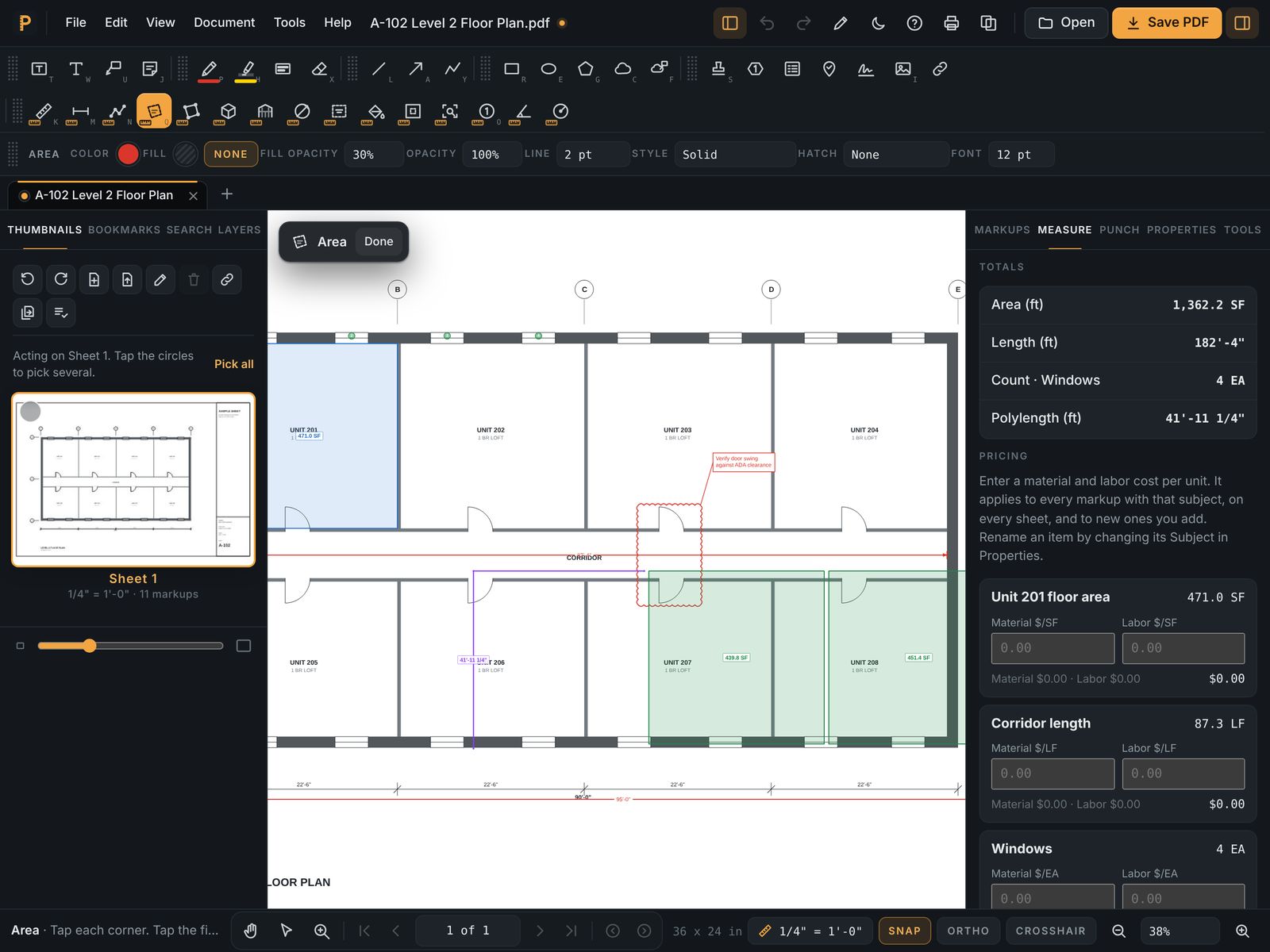
Measure lengths, areas and counts on construction drawings at any scale, put a price on each quantity, and export the takeoff to Excel. Mark up and review the same set without leaving the app.
The Mac app is coming soon to the App Store. Until then PlanDesk runs in Safari or Chrome on your Mac today, with nothing to install. 7 days free, then $14.99 a month or $119.99 a year.
7 days free, then $14.99 a month or $119.99 a year. Cancel anytime.
What you get
Every takeoff tool
Length, polylength, area, perimeter, volume, wall area, angle, radius and counts, with architectural, engineering and metric scales one click away.
Scale you can trust
Pick the printed scale for one sheet or the whole set, or calibrate against a known dimension when a set was printed half size or scanned.
Prices and Excel
Add unit costs to quantities and export everything to Excel, grouped the way you take off.
Big sets, fast
Open 300+ sheet sets with sheet navigation, bookmarks and search, and read text on scanned sheets.
Revisions
Compare two revisions to see what changed, and slip sheet a new revision into the set.
Pay apps
Build a pay app from the drawings: link schedule-of-values lines to your takeoff and bill the percent complete.
Questions
- Do I need to install anything on my Mac?
- No. PlanDesk runs in Safari or Chrome on your Mac, with nothing to install. A Mac app is also coming to the App Store.
- Can I export my takeoff to Excel?
- Yes. Every quantity, with its units, prices and totals, exports to an Excel workbook.
- Can I calibrate a scanned drawing?
- Yes. Drag along a dimension you know, type its real length, and every measurement on that sheet uses it.
- Is it the same app on iPad and Windows?
- Yes. One PlanDesk account works on Mac, iPad, iPhone, Windows and the web, with the same tools everywhere.