 PlanDesk
Construction drawing markup and takeoff for iPad
Mark up and take off drawings on your iPad.
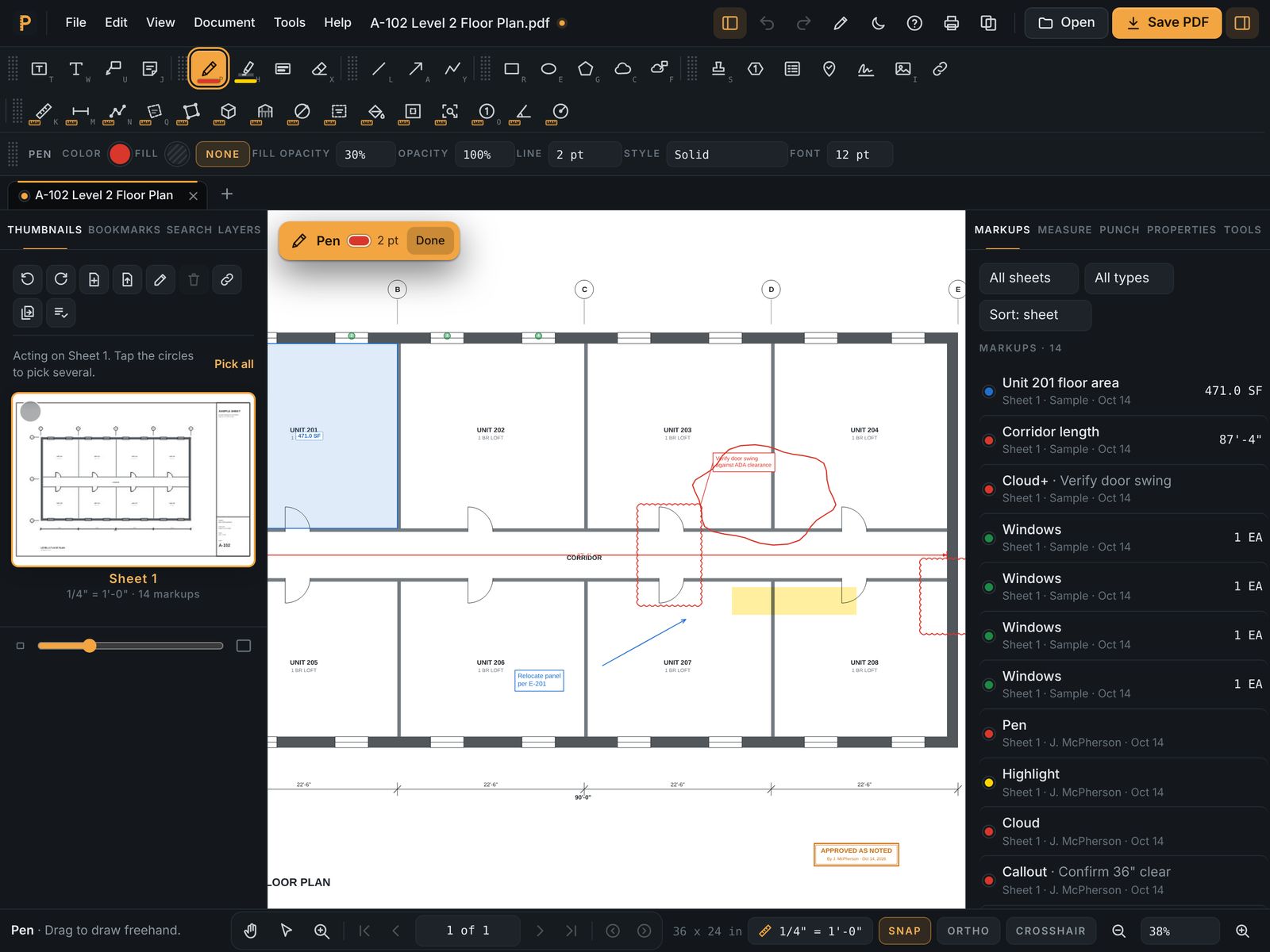
PlanDesk turns an iPad and Apple Pencil into a full drawing set: clouds and callouts, measurements at scale, counts and punch lists, all in standard PDFs you can send to anyone.
The iPad app is coming soon to the App Store. Until then PlanDesk runs in Safari on your iPad today, with Apple Pencil, and nothing to install. 7 days free, then $14.99 a month or $119.99 a year.
7 days free, then $14.99 a month or $119.99 a year. Cancel anytime.
What you get
Built for Apple Pencil
Pressure-sensitive pen and highlighter, and palm rejection so your hand can rest on the glass. Clouds, arrows and shapes go exactly where you draw them.
Measure at scale
Pick the printed scale or calibrate against a known dimension, then trace lengths, areas, perimeters and wall areas. Totals add up as you go.
Count and auto count
Tap to count doors, fixtures and outlets, or let auto count find every matching symbol on the sheet.
Takeoff to Excel
Put a price on each quantity and export the whole takeoff to Excel for your estimate or bid.
Punch lists on the walk
Pin punch items on the plan, add photos and status, and export a punch list your subs can work from.
Works offline
Open a 300-sheet set on the jobsite with no signal, keep working, and sync to your other devices when you're back online.
Questions
- Does it work with Apple Pencil?
- Yes. Writing, highlighting and clouds use Apple Pencil pressure, and palm rejection ignores your hand while you draw. A finger works too.
- Can I use it without internet?
- Yes. Drawings stay on your iPad, and markups and measurements work offline. Device sync catches up when you're back online.
- Will my markups open in other PDF apps?
- Yes. PlanDesk saves markups as standard PDF annotations, so anyone can open them in the PDF reader they already use.
- Does it work on iPhone too?
- Yes. The same account works on iPad, iPhone, Mac, Windows and the web.