 PlanDesk
Markup and takeoff that works on iPad, Mac and Windows
One app for every device your crew uses.
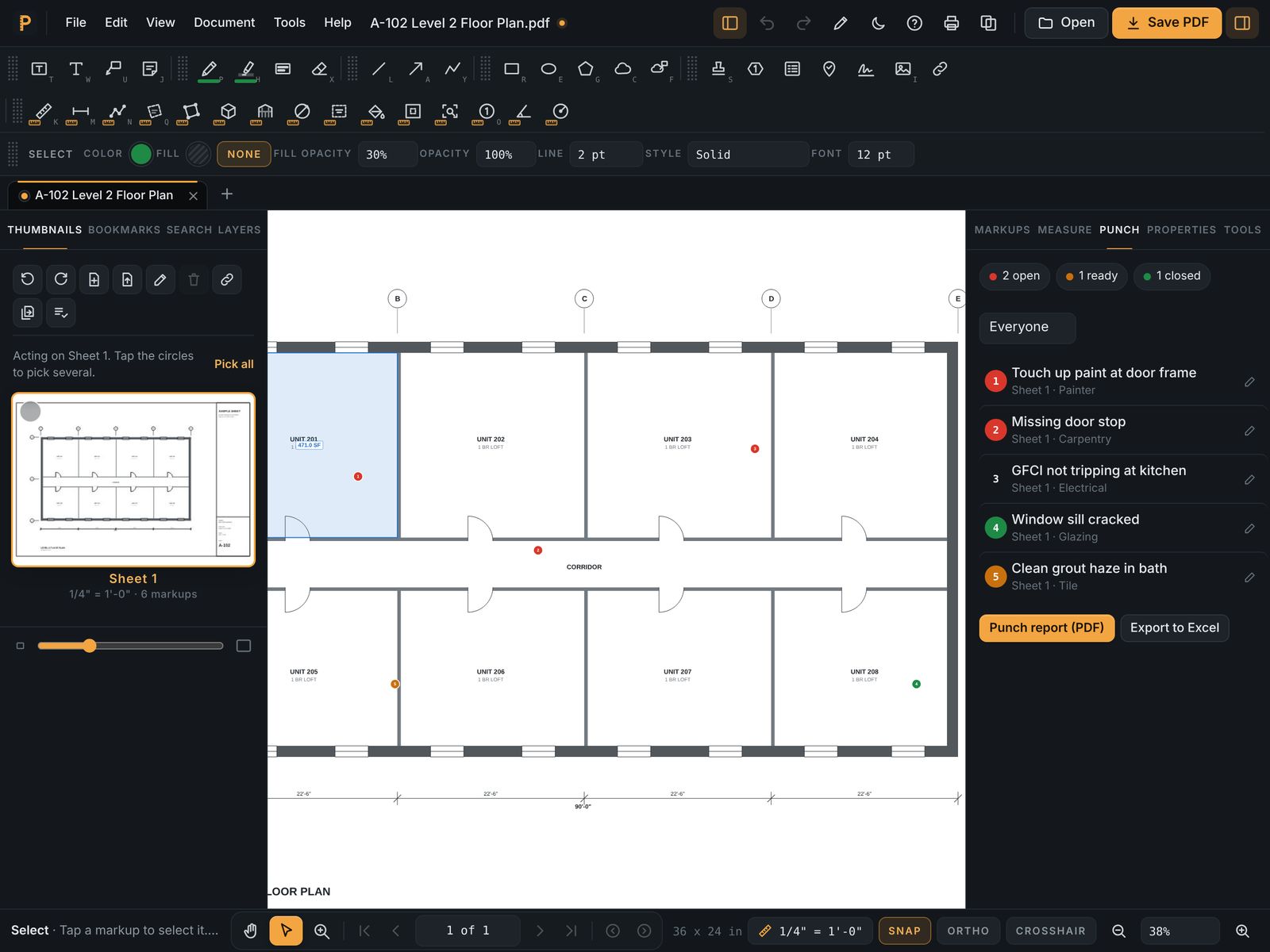
Mark up in the field on an iPad, take off at your desk on a Mac or a Windows PC, and review together in the browser. One PlanDesk account and one subscription cover them all.
PlanDesk runs on Windows and in any modern browser today. The iPad, iPhone and Mac apps are coming soon to the App Store. 7 days free, then $14.99 a month or $119.99 a year.
7 days free, then $14.99 a month or $119.99 a year. Cancel anytime.
What you get
Same tools everywhere
Markup, measurement, counts, punch lists, signatures and stamps work the same on every device, so nobody relearns the app.
Device sync
Turn on sync and your drawings and markups follow you from the jobsite iPad to the office PC. Leave it off and drawings stay on the device.
Live review sessions
Invite your team and outside reviewers to mark up the same set at the same time. Follow a reviewer's view or present yours. Guests join free.
Windows that fits your day
Open PDFs and image attachments straight from Outlook and File Explorer, and print to PlanDesk from any Windows app.
Standard PDFs
Markups save as normal PDF annotations, and PlanDesk opens PDFs, FDF markup files and secured PDFs.
One price
Every feature on every device for one subscription. Team seats are the same price, and people who only view are free.
Questions
- Do I need a separate subscription for each device?
- No. One PlanDesk account and subscription works on iPad, iPhone, Mac, Windows and the web.
- Can someone without PlanDesk join a review?
- Yes. Guests join live review sessions free, and anyone can open your marked-up PDFs in their own PDF reader.
- Where are my drawings stored?
- On your device, unless you turn on device sync. No ads and no tracking.
- Which versions of Windows does it support?
- Windows 10 and 11.